


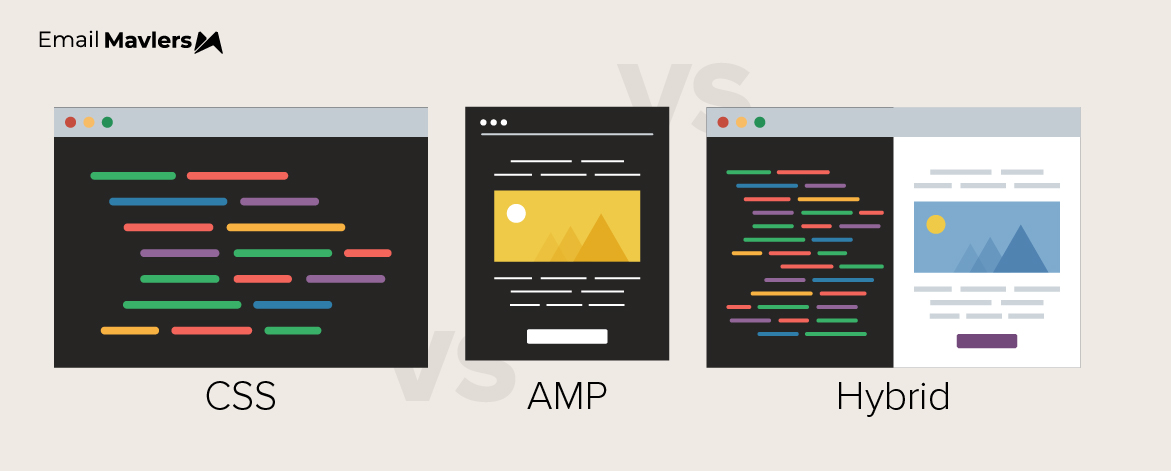
Nothing creates a more memorable inbox experience than interactive emails. At one end of the spectrum, you can drive engagement with simple menus, accordions, and hover effects, many of which can be built using CSS alone. At the other end, you can enable full in-email experiences. That’s where AMP for email comes in, purpose-built for richer, app-like interactions.
CSS is powerful and widely supported, while AMP brings a more advanced, immersive layer.
Which approach should you choose for your next interactive campaign? Well, let’s break it down.
How CSS-based interactivity works
CSS exploits the checked state of hidden form inputs combined with CSS sibling selectors to show, hide, or transform other elements in response to user interaction.
Consider a radio button at the top of an email. When the user clicks that image, the label checks its associated radio input, and a CSS rule somewhere downstream fires.
None of this requires JavaScript. It’s purely declarative, structural HTML and CSS.
There’s nothing quantum science about it. It’s really a form of binary logic in action. A checked input is a 1, an unchecked input is a 0. By combining multiple inputs, it becomes possible to construct complex state-driven behaviors, such as multi-step email layouts, interactive carts, or even simple games, all driven by a bank of hidden inputs at the top of the document.
Decoding the checkbox hack
The elegance of the approach lies in nesting. Because email clients (Gmail) strip out element IDs (breaking the conventional label for=”id” pattern), developers discovered that wrapping a label directly around an input creates an association that survives even aggressive HTML sanitization. Click anywhere inside the label, and the nested input gets checked. It allows labels to be placed anywhere below their inputs, with complex CSS selectors bridging the gap.
The result is a kind of cascading state management written entirely in CSS.
What CSS interactivity can build
The range of what’s achievable is wider than most email marketers expect. Here are some of the interactive features you can build using only CSS and HTML:
- Product galleries with thumbnail navigation
- hotspot maps where click reveals contextual details
- hamburger navigation menus
- accordion section
- image carousels
- before-and-after toggles
- mix-and-match product configurators
- Basic password gates
- Score-tracking games
Below is an interactive email example of the tap-to-reveal feature.
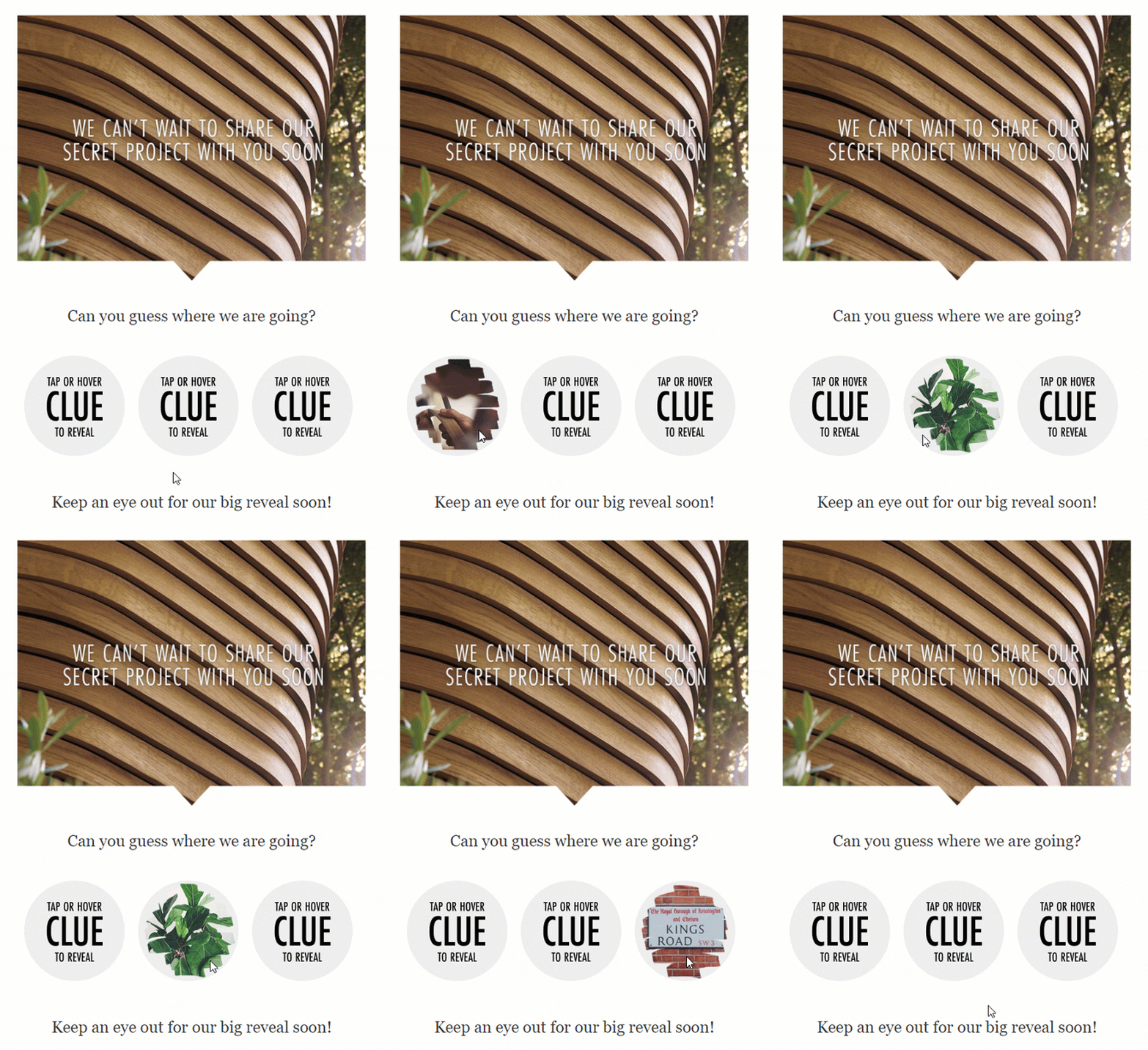
The catalog for marketing teams is narrower but still rich, e.g. carousels for showcasing product ranges, hotspots for annotating images, tabs for organizing offer categories, click-to-reveal mechanics for promo codes and announcements, and hamburger menus to keep navigational chrome out of the way of primary content.
Interestingly, developers pushing the format have successfully built fully interactive multi-panel layouts using CSS Grid, layered box-shadows and the relatively recent :has() selector.

How AMP-based interactivity works
Coming to AMP for email, it is an entirely different approach. Rather than bending existing email capabilities past their intended limits, AMP introduces a third MIME type alongside the traditional plain-text and HTML parts of an email message. Email clients that support AMP render this richer version; those that don’t fall back to the HTML version gracefully.
Inside that AMP portion, senders can use a curated library of AMP components built to web standards and specifically engineered for the email context. The components handle accessibility, responsiveness, and cross-device behavior as part of their design.
Live data is the game-changer
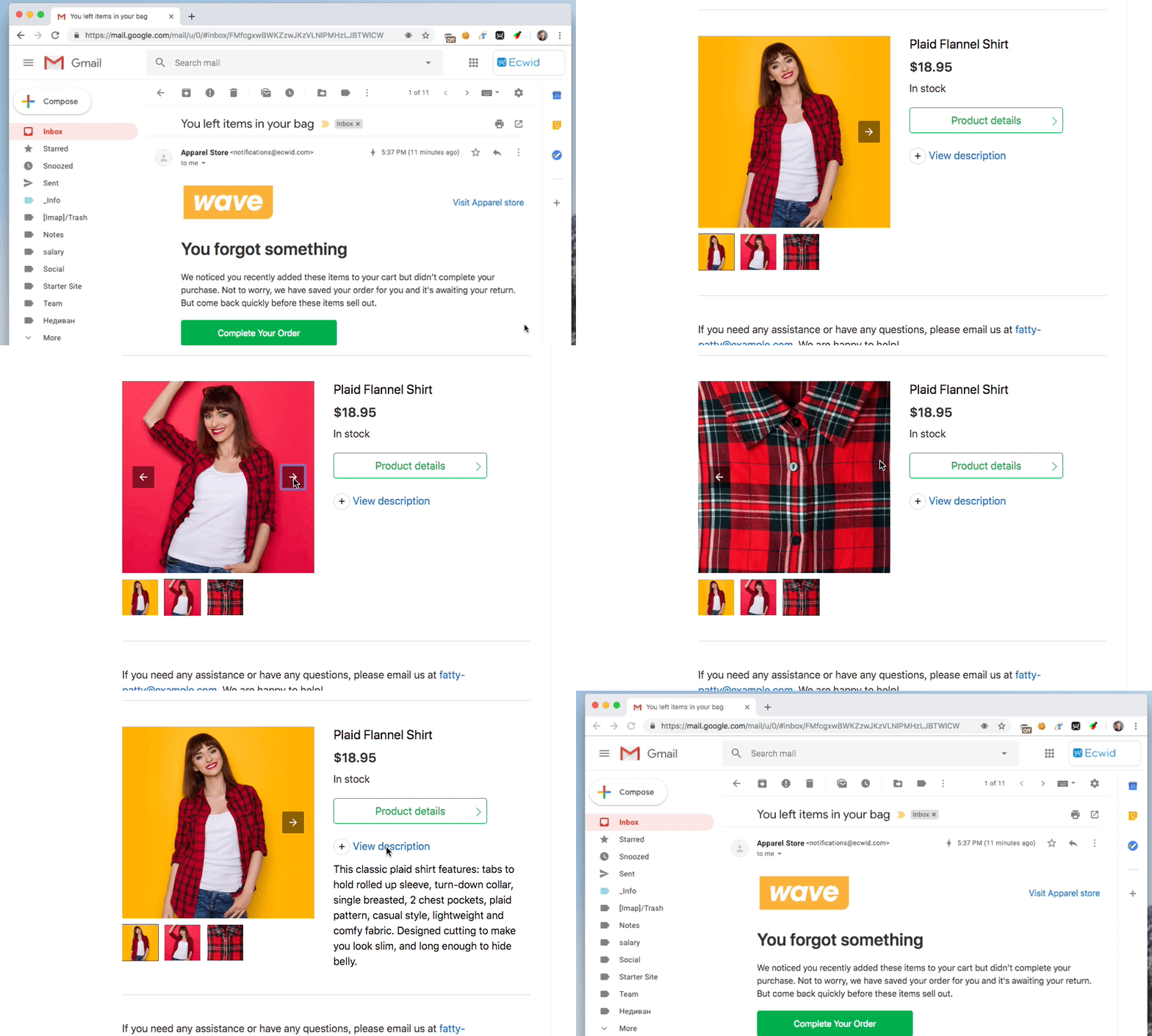
The capability that most dramatically separates AMP from CSS interactivity is amp-list: the ability to fetch fresh data from a server endpoint at the moment an email is opened. This means an email sent last Tuesday can still display today’s room availability, current product inventory, live flight status, or an up-to-date comment thread, without needing to send any corresponding email.
Below is an interactive email example where the subscriber completes a purchase. Live data is critical in these use cases.
And you can do a lot of other equally cool things with AMP:
- An email about scheduling a meeting can automatically check who has responded
- A news digest can pull that morning’s headlines
- A travel booking email can surface rooms that are still available
But that’s not all. When combined with amp-form, which enables form submissions directly from the inbox, AMP emails can handle RSVP confirmations, subscription preference updates, review submissions, appointment scheduling, and even multi-step product selection.
But there are tradeoffs…
None of this comes free. You must first register with supported email providers before your AMP emails render as AMP for their users.
The registration requirement cuts both ways:
It’s a friction cost on the sender’s part, but it also functions as a trust mechanism for the recipients. Senders must be whitelisted by each email client before AMP renders for their users, and getting caught sending malicious or deceptive content means losing that privilege immediately and permanently. This makes AMP structurally more accountable than standard HTML email, although one shouldn’t overemphasize it.
The markup is more complex, development requires familiarity with the AMP component library and its quirks, and the versioning implications are significant: once an email is sent, its AMP markup is frozen, even if the data it fetches remains live. Backend APIs need to be versioned and maintained for all time to prevent old emails from breaking as the infrastructure evolves.
| CSS vs AMP: The Interactive Battle | ||
|---|---|---|
| Factor | CSS Interactivity | AMP for Email |
| ESP support required | No; works with any ESP | Yes; ~22% of ESPs support it |
| Live / dynamic content | Not possible | Yes, via amp-list |
| Form submissions | Not possible | Yes, via amp-form |
| Code standardization | Hack-based, no formal spec | Open standard, documented spec |
| Accessibility | Fundamentally limited | Better, but light-years far from perfect |
| Complexity / maintenance | Moderate once patterns established | Live/dynamic content |
| Interaction sophistication | Limited to pre-built states | Dynamic state management, server round-trips |
| HTML file size | Can push past Gmail’s ~102KB clip limit | Separate MIME part mitigates some risk |
| Geographic performance | Strong in US and Europe | Better in markets like India where AMP adoption is higher |
But there’s another strategic tension at the bottom of the comparative tussle. AMP sidesteps the file-size trap that constrains CSS interactivity. Because the AMP content lives in a separate MIME part, it doesn’t compete with the HTML portion for Gmail’s clipping threshold.
Now, with CSS, every interactive element you add is weight you’re taking away from content, and content usually wins that fight. Teams that have carefully tested CSS hover effects have found that the interactivity lifts engagement modestly, but that reducing pin count or product density to accommodate the extra markup typically costs more clicks than the interaction gains.
AMP dissolves that constraint entirely.
The problem of reach
For email teams sending to audiences primarily in the United States and Europe, the addressable audience gap between CSS and AMP is the single most decisive factor in any strategy conversation. Roughly four-fifths of email opens happen in clients that can render some form of CSS interactivity. But fewer than one in five (oops!) happen in clients with AMP support.
This doesn’t make AMP a no-win. In fact, the results reported by early adopters are genuinely impressive, with some senders documenting over 57% higher click-through rates and 60% conversion lifts on AMP-powered campaigns. But yes, those results apply only to the minority of recipients who see the AMP version. The majority of any given list will see the HTML fallback.
The picture looks different in markets like India, where AMP support among major email clients is substantially higher. For US and European senders, though, the tide is yet to turn.
But at the same time, AMP’s developer-side support is growing.
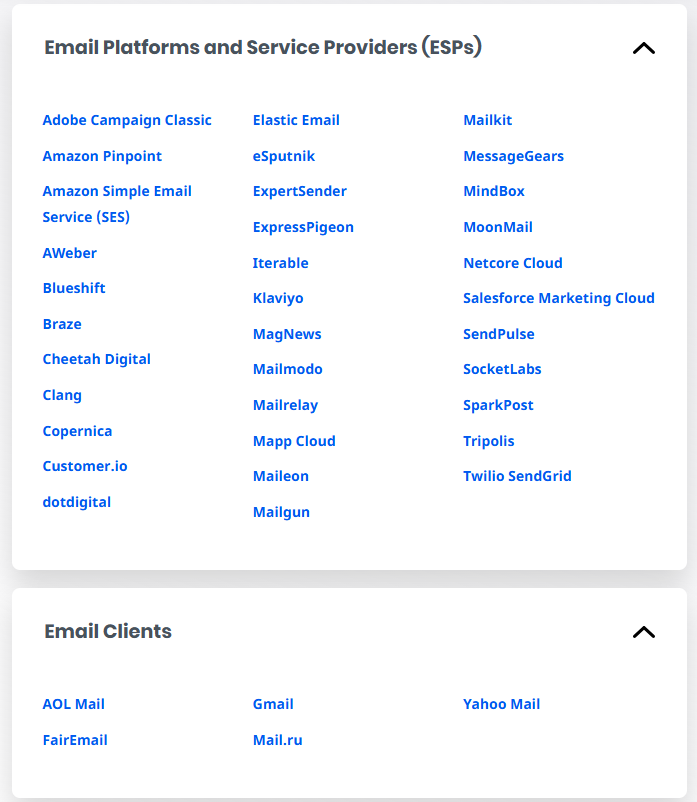
Major ESPs such as SendGrid and SparkPost, and testing platforms like Litmus, now do support AMP delivery and rendering. Yahoo Mail and Outlook.com have joined Gmail and Mail.ru in supporting the format on the client side. The trend is toward broader adoption, but the timeline for any meaningful parity with CSS in terms of reach remains uncertain.
| CSS for Email: Best for | AMP for Email: Best for |
| Product galleries and image carousels | Scheduling and calendar interactions |
| Hamburger navigation menus in templates | Live inventory or pricing data |
| Hotspot images with reveal panels | Comment threads and social replies |
| Click-to-reveal promo codes or announcements | RSVP and event confirmation flows |
| Tabbed content switching | Subscription preference management |
| Before/after toggles and product configurators | Search results inside the inbox |
What about accessibility?
Both approaches have genuine accessibility problems, and if you’re building an interactive email, you should understand them clearly.
CSS-based interactivity is semantically incorrect. It repurposes form controls for navigation and state management, uses they were never designed for. Assistive technology users encountering a CSS-powered carousel or accordion may find the controls unintelligible, unreachable via keyboard, or worse: they may witness a keyboard trap that prevents them from moving past the interactive section entirely!
| CSS-based Interactivity | AMP-based Interactivity | |
| Core philosophy | Chiefly hack-based; repurposes form controls (checkboxes/radios) for UI state. | Component-based. Uses purpose-built, semantically appropriate elements. |
| Semantic accuracy | Poor. Elements are used for things they weren’t designed for (e.g., using a checkbox to trigger a carousel). | High. Components are designed to be “what they say they are” out of the box. |
| Keyboard navigation | High risk; often unreachable via keyboard or can create keyboard traps. | Generally keyboard-navigable by design. |
| User experience | Can be unintelligible or broken for assistive technology users. | Much better though custom binds still require care. |
AMP is better. Its components are purpose-built interactive UI elements, semantically appropriate and keyboard-navigable by design. But again, if you are building custom AMP interactions with amp-bind, you need to manage focus states and state announcements carefully to avoid creating their own accessibility gaps.
Undertaking the interactive project: 7 expert tips
An interactive email, whether CSS-based or AMP-built, demands a significant portion of an entire team’s resources. It’s not kid stuff nor AI-doable as yet. From here on out, remember:
- Whether CSS or AMP, design your HTML fallback to be fully accessible. Most of your subscribers will view the fallback version. Because in most cases, they’ll be lacking client support or they’ll be using assistive technology.
- Resist defaulting to interactivity. Keep the interactive experience novel. Overdone, they’ll quickly tire your audience. Reserve them for one-off campaigns.
- Plan the fallback states at design time. Every interactive frame must be mocked up and approved by stakeholders. Pay equal attention to the fallback as to the interactions.
- Build components to be modular and parameterized for easy updates across campaigns. Avoid building modules that require deep code changes for every deployment.
- Plan AMP API versioning before any kind of development kicks off.
- Treat AMP backend APIs as long-term dependencies that must be stable. Avoid breaking existing API versions; introduce new versions when changes are needed.
- Track and document API dependencies across campaigns to prevent future issues.
Interactivity is not a substitute for relevance. Interactivity amplifies a good email, but it can’t rescue a mediocre one.
Verdict: CSS for email or AMP?
AMP and CSS cater to different problems and requirements. They also have different constraints.
As industry experts in email interactivity and gamification, we recommend you go with the one that fits your program’s constraints and ambitions at the moment.
For most of our clients, and even marketers generally, it’s typically CSS first. You build the interactive muscle, establish fallback discipline, and understand what engagement uplift actually looks like for your audience before committing to AMP’s infrastructure requirements.

If you need help building interactive emails, we can be your go-to execution partner.
At Email Mavlers, our interactive emails templates have helped clients captivate attention, boost engagement, and deliver the punch your messaging needs. Let’s get started!

Susmit Panda - Content writer
